
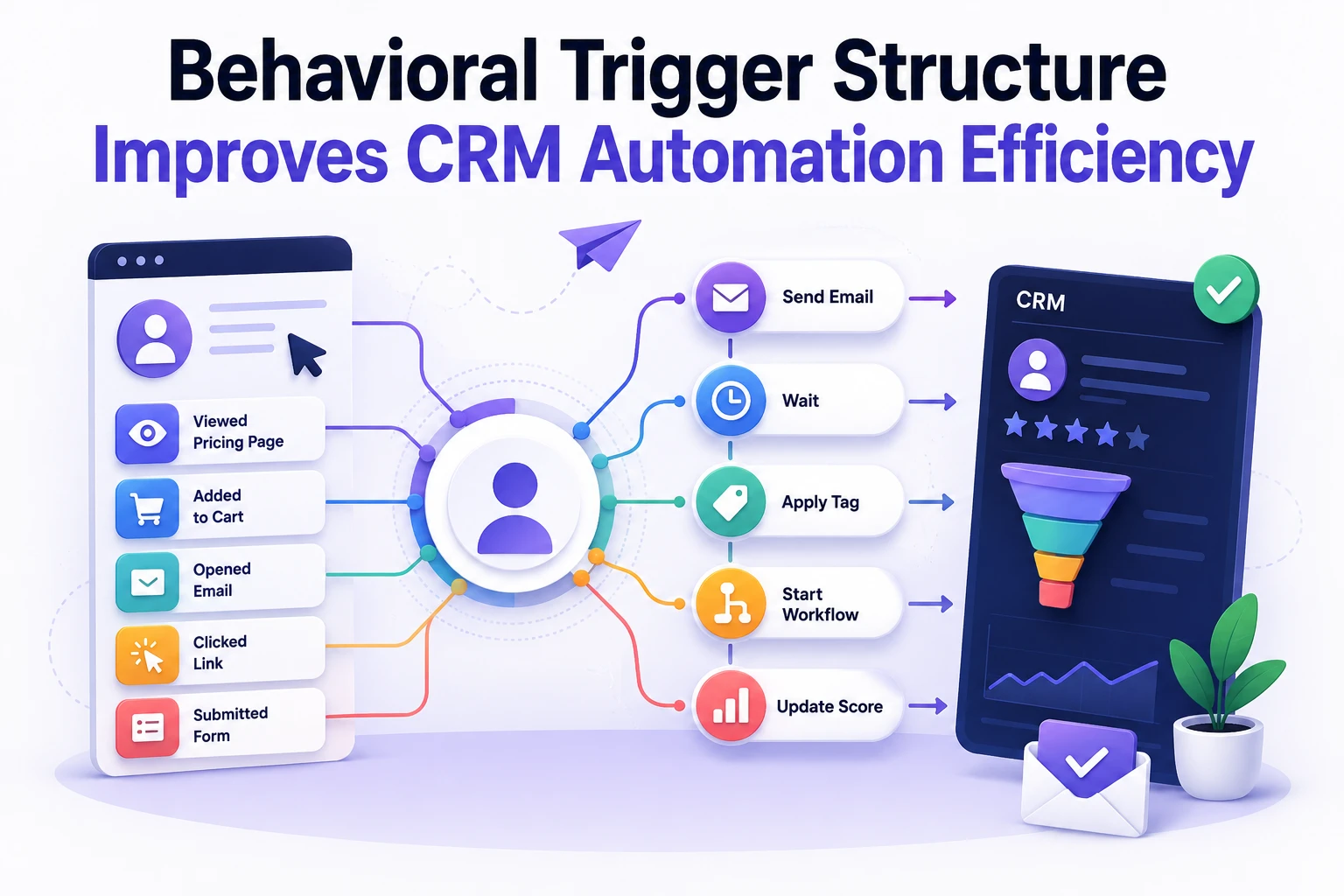
CRM automation systems gradually become difficult to manage when trigger logic lacks structure. Initially, workflows appear simple. However, additional campaigns, integrations, and segmentation layers increase complexity quickly.
As a result, automation reliability decreases.
Many businesses focus on expanding email sequences instead of improving behavioral architecture. Consequently, duplicate triggers, delayed events, and inaccurate segmentation begin affecting campaign performance.
At Wisegigs, CRM optimization starts with behavioral mapping before workflow expansion occurs. Structure determines reliability.
Why CRM Automation Becomes Inefficient
Most CRM systems degrade through incremental changes rather than platform limitations.
A marketing team may add:
- abandoned cart sequences
- onboarding emails
- lead scoring logic
- retargeting workflows
- inactivity campaigns
- CRM tagging automations
Individually, each workflow appears manageable. Collectively, however, overlapping triggers create unpredictable behavior.
Common symptoms include:
- duplicate email sends
- incorrect user segmentation
- delayed automation execution
- broken lifecycle progression
- inaccurate attribution reporting
- inflated engagement metrics
Importantly, automation inefficiency often remains hidden until campaign scale increases.
According to Simo Ahava Blog, measurement inconsistencies frequently originate from fragmented event architecture rather than analytics tools themselves.
Understanding Behavioral Trigger Logic
Behavioral triggers connect user actions to automated system responses.
A trigger should represent a clearly defined behavioral state.
Examples include:
- completed checkout
- viewed pricing page
- submitted contact form
- inactive for 30 days
- downloaded resource
- abandoned signup process
Importantly, behavioral states should remain mutually understandable across marketing and CRM systems.
Without shared definitions, automation becomes inconsistent.
For example:
A “qualified lead” event in the CRM may not match the same condition inside email software. Consequently, segmentation drift develops over time.
Measurement defines clarity.
Building Stable Trigger Hierarchies
Automation systems perform better when trigger hierarchies follow predictable rules.
Instead of creating isolated workflows, structure automation into layered categories.
Entry Triggers
These triggers initiate automation sequences.
Examples include:
- new lead creation
- newsletter signup
- product purchase
- webinar registration
Entry triggers should remain simple and deterministic.
Behavioral Progression Triggers
These workflows react to engagement changes.
Examples include:
- repeat visits
- email interaction
- feature adoption
- purchase frequency
Importantly, progression triggers should not overwrite entry states without validation logic.
Exit Triggers
Exit conditions stop automation loops.
Common exit states include:
- unsubscribe actions
- completed conversion
- inactive accounts
- manual sales qualification
Without proper exits, automation duplication increases rapidly.
At Wisegigs, CRM workflows usually separate entry, progression, and exit logic into independent layers to simplify debugging and reduce state conflicts.
Segmenting Users Based on Action States
Segmentation should reflect behavioral conditions rather than static labels.
Many CRM environments rely heavily on manual tagging. However, static tags become inaccurate quickly as user behavior changes.
Behavioral segmentation improves consistency because actions update automatically.
Useful behavioral segments often include:
- active evaluators
- repeat purchasers
- inactive subscribers
- high-intent visitors
- onboarding-stage users
- support-heavy customers
Importantly, behavioral states should expire when conditions change.
For example:
A “high-intent” segment based on pricing-page activity should decay after inactivity periods. Otherwise, outdated segmentation inflates campaign targeting assumptions.
According to MeasureSchool, event-driven segmentation improves attribution reliability when triggers remain standardized across platforms.
Reducing Automation Conflicts
Automation conflicts usually emerge from overlapping workflow responsibilities.
Several common problems include:
Duplicate Trigger Conditions
Multiple workflows responding to the same event create unpredictable sequencing.
Circular Automation Logic
One workflow updates a field that triggers another workflow repeatedly.
Delayed Synchronization
CRM updates may lag behind analytics or ecommerce platforms.
Excessive Conditional Branching
Complex nested conditions reduce maintainability and increase debugging time.
Complexity reduces predictability.
Therefore, automation systems benefit from centralized trigger governance.
At Wisegigs, behavioral workflows often use shared naming conventions and trigger registries to prevent duplication across departments.
Synchronizing CRM and Analytics Data
CRM systems should not operate independently from analytics infrastructure.
Disconnected measurement creates attribution inconsistencies.
For example:
An analytics platform may record a conversion successfully while the CRM fails to update lifecycle status. Consequently, remarketing campaigns continue targeting converted users unnecessarily.
Synchronization workflows should validate:
- event timestamps
- campaign source attribution
- lead status changes
- ecommerce conversion states
- subscription preferences
- engagement scoring updates
Importantly, synchronization delays affect reporting accuracy significantly during high-volume campaigns.
Related Wisegigs articles include:
Monitoring Trigger Performance Over Time
Automation workflows require continuous monitoring.
Behavior changes gradually. Therefore, trigger systems drift unless reviewed regularly.
Useful monitoring metrics include:
- automation completion rates
- trigger execution delays
- segmentation overlap frequency
- unsubscribe spikes
- workflow conflict rates
- CRM synchronization failures
Trend analysis matters more than isolated campaign metrics.
For example:
A workflow may maintain strong open rates while segmentation quality deteriorates silently. Consequently, long-term attribution accuracy declines.
According to Search Engine Journal Email Marketing Articles, behavioral targeting efficiency depends heavily on clean event tracking and consistent audience definitions.
Common Behavioral Automation Mistakes
Several recurring mistakes reduce CRM efficiency over time.
Treating Tags as Permanent States
User behavior changes continuously. Static segmentation becomes unreliable.
Building Workflows Without Exit Conditions
Missing exits create endless automation loops.
Connecting Too Many Tools Without Validation
Additional integrations increase synchronization risk.
Overusing Conditional Branches
Complex workflows become difficult to debug and maintain.
Ignoring Trigger Timing Delays
Delayed synchronization affects attribution and lifecycle accuracy.
Importantly, many automation issues originate from governance problems rather than software limitations.
Conclusion
Behavioral trigger architecture directly affects CRM automation stability.
Reliable workflows require predictable event structures, synchronized data systems, and clearly separated automation layers. Consequently, efficient CRM environments depend more on behavioral organization than campaign volume.
Structured trigger systems remain easier to scale, maintain, and optimize over time.
Need help improving CRM automation workflows and behavioral segmentation?
Contact Wisegigs.eu