
WordPress often feels simple from the outside.
A URL is loaded, a page appears, and content renders as expected. Because of this, many teams assume WordPress behaves like a straightforward page renderer.
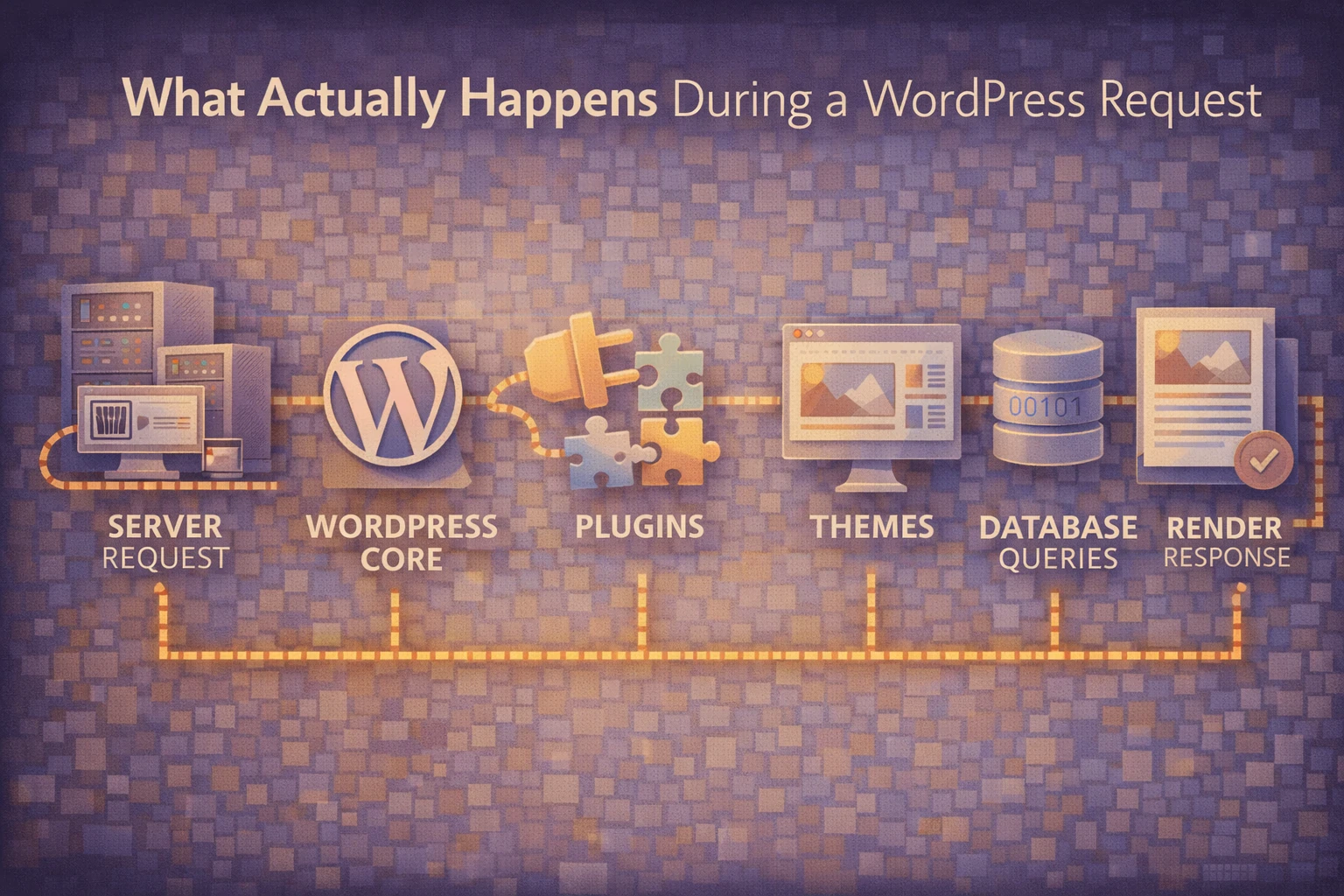
In reality, every WordPress request triggers a complex execution flow that touches core files, configuration, plugins, themes, and the database before anything is displayed.
At Wisegigs.eu, many WordPress performance and stability issues stem from misunderstanding this request lifecycle. When teams treat WordPress as a black box, small changes can produce unexpected results.
This article explains what actually happens during a WordPress request, why that process matters, and how awareness of the flow helps teams build more reliable sites.
Every Request Starts Before WordPress Loads
A WordPress request does not begin with WordPress itself.
First, the web server receives the request. At this stage, server-level configuration determines routing, caching behavior, redirects, and security rules.
Only after these checks does the request reach PHP. If server configuration is misaligned, WordPress never gets a chance to behave correctly.
This is why hosting configuration often affects WordPress behavior more than themes or plugins.
WordPress Bootstraps Core Before Content Exists
Once PHP execution begins, WordPress loads its core environment.
During this phase, WordPress:
Loads configuration files
Establishes database connections
Defines constants and globals
Registers core functionality
At this point, no content is known yet. WordPress is simply preparing its internal state.
The official WordPress documentation outlines this bootstrap process as a critical foundation:
https://developer.wordpress.org/apis/
Problems introduced early here affect every request that follows.
Plugins Execute Before Themes
A common misconception is that themes drive WordPress behavior.
In reality, plugins load before themes.
During the plugin loading phase, WordPress executes all active plugins. Hooks, filters, and side effects are registered at this stage.
Because plugins load early, they can:
Modify queries
Change request behavior
Alter authentication logic
Inject performance overhead
If a plugin misbehaves here, themes have limited ability to correct it later.
This ordering is why poorly designed plugins can destabilize an entire site.
WordPress Resolves the Requested Content
After core and plugins load, WordPress attempts to understand the request.
At this stage, WordPress:
Parses the URL
Matches rewrite rules
Determines query variables
Identifies the requested content
Only now does WordPress know whether the request targets a page, post, archive, search result, or error state.
The WordPress Query system governs this resolution process:
https://developer.wordpress.org/reference/classes/wp_query/
Misunderstanding query behavior often leads to fragile customizations.
Themes Control Presentation, Not Logic
Once WordPress knows what content to serve, the theme takes over.
Themes decide:
Which templates load
How content is structured
How data is presented
However, themes operate after most logic has already executed.
When themes contain business logic, performance tuning, or data manipulation, responsibilities blur. Over time, this makes maintenance harder and debugging slower.
Well-structured WordPress sites keep themes focused on presentation.
Hooks Fire Throughout the Entire Request
Hooks are active at every stage of execution.
Actions and filters fire during:
Initialization
Query resolution
Template loading
Rendering
Shutdown
This flexibility is powerful, but it also introduces risk.
When hooks run without context checks, they may execute during unintended requests. As a result, background jobs, admin screens, and frontend pages can all trigger the same logic.
The Plugin Handbook emphasizes context-aware hook usage:
https://developer.wordpress.org/plugins/
Ignoring context leads to unpredictable behavior.
The Database Is Accessed More Than You Think
A single WordPress request often triggers multiple database queries.
These queries load:
Options
Post data
Metadata
Taxonomies
User information
Even small inefficiencies compound quickly under traffic.
Without caching or query discipline, WordPress performance degrades silently as sites grow.
This is why performance issues often appear long after launch.
Response Rendering Is the Final Step
Only after all logic completes does WordPress render the response.
HTML output is generated, filters apply final changes, and the response is sent back to the server.
At this point, it is too late to fix earlier decisions. Performance, security, and correctness are already determined.
Understanding this order explains why late fixes rarely solve early problems.
Why This Execution Flow Matters
WordPress works best when treated as a system.
When teams understand the request lifecycle, they:
Place logic in the right layer
Avoid unnecessary hooks
Reduce execution overhead
Improve predictability
Simplify debugging
Most WordPress issues do not come from WordPress itself. They come from changes made without understanding when and where code executes.
Conclusion
A WordPress request is not a single step.
It is a structured sequence that starts at the server, moves through core, plugins, queries, and themes, and ends only after rendering completes.
To recap:
Requests begin before WordPress loads
Core initializes the environment
Plugins execute before themes
Queries resolve intent
Themes handle presentation
Hooks run everywhere
Databases are accessed repeatedly
At Wisegigs.eu, stable WordPress systems are built by respecting this execution flow instead of fighting it.
If your WordPress site behaves unpredictably, the issue is often not what you changed — but when that change runs.
Contact Wisegigs.eu