
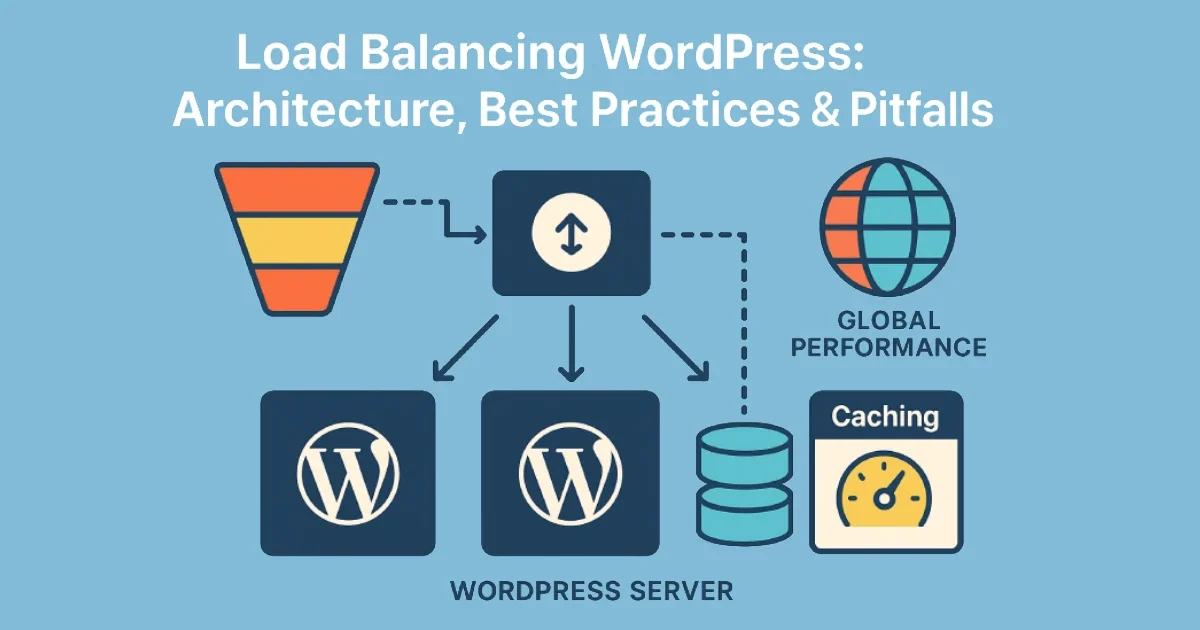
Scaling WordPress beyond a single server requires more than adding CPU and RAM. True scalability comes from distributing traffic across multiple nodes, ensuring no single machine becomes a bottleneck. Load balancing is the foundation of this architecture — but misconfigurations often lead to session loss, cache fragmentation, inconsistent deployments, or cascading failures during traffic spikes.
At Wisegigs.eu, we design load-balanced WordPress architectures that remain stable under extreme traffic — product launches, flash sales, viral content, and peak seasonal loads. This guide explains the core components, best practices, and common pitfalls when implementing load balancing for WordPress.
1. What Load Balancing Means for WordPress
A load balancer distributes incoming requests across multiple backend servers to improve:
Performance
Availability
Fault tolerance
Capacity
Redundancy
A load-balanced WordPress setup typically includes:
One or more application servers (PHP)
A dedicated database server
A Redis or Memcached cache layer
A CDN (for global static asset delivery)
An external object storage provider (optional)
Cloudflare explains how load balancing improves availability by routing around failures and optimizing for geographic latency:
https://www.cloudflare.com/learning/performance/what-is-load-balancing/
2. Architectures for Load-Balanced WordPress
There are three common architectures used in production.
A. Single Database, Multiple Application Servers
Best for: Most high-traffic blogs, corporate sites, content-heavy WordPress instances.
Pros:
Easy to implement
Application layer can scale horizontally
Good for large traffic bursts
Cons:
Database becomes the bottleneck if not optimized
B. Multi-Node Database with Read Replicas
Best for: Very large sites, huge content libraries, real-time APIs.
Pros:
Read load is distributed
Faster queries on high volume sites
Cons:
Requires replication tuning
More complexity
MariaDB & MySQL provide detailed guidance on using read replicas for scale:
https://mariadb.com/kb/
C. Fully Distributed Architecture (CDN + Object Storage + Microservices)
Best for: Enterprise WordPress, multi-region deployments, WooCommerce at scale.
Pros:
Fastest global performance
Decoupled components
Ideal for international websites
Cons:
Requires SRE-level operations
Expensive and complex
At Wisegigs.eu, enterprise clients often use this model for 24/7 uptime across multiple continents.
3. Components Required for a Healthy Load-Balanced WordPress Setup
1. Load Balancer
Examples: NGINX, HAProxy, Cloudflare Load Balancer, AWS ALB.
Responsibilities:
Distribute traffic
Health checks
Failover routing
SSL termination (optional)
NGINX’s load balancing documentation outlines how upstreams improve concurrency for PHP-heavy applications like WordPress:
https://www.nginx.com/blog/
2. Shared File System or Object Storage
WordPress media must be synchronized across nodes.
Options:
NFS (Network File System)
GlusterFS
AWS S3 or DigitalOcean Spaces
Cloudflare R2
Using object storage prevents file mismatch issues when uploads occur on different servers.
3. Shared Cache Layer (Redis Recommended)
Redis ensures object caching remains consistent across all application servers.
Benefits:
Lower database load
Faster backend performance
Predictable TTFB during scale events
Redis documentation highlights major scalability gains with distributed caching:
https://redis.io/docs/
4. Database Offloading & Optimization
The database must be isolated from application scaling.
Best practices:
Move DB to its own VPS or cloud instance
Increase InnoDB buffer pool
Enable slow query logs
Add read replicas for high-traffic setups
4. Best Practices When Load Balancing WordPress
✔ Use Sticky Sessions (Only When Necessary)
Some plugins require session persistence.
However, avoid sticky sessions for performance unless absolutely required.
✔ Ensure Deployments Are Synchronized
A release must propagate to all nodes simultaneously.
Options:
Git-based deployments
CI/CD pipelines
Atomic releases
Symlink switching
At Wisegigs.eu, we standardize blue-green deployments to avoid partially updated servers.
✔ Use a Cache-Bypass Strategy for Logged-In Users
Logged-in users see dynamic content.
Static caching may not apply — especially in WooCommerce dashboards or membership sites.
✔ Separate Cron Jobs From Application Servers
Only one server should process cron tasks; otherwise duplicate jobs will fire.
✔ Centralize Logs
To debug issues across nodes, logs should be aggregated in one location.
Tools:
Loki/Grafana
Elastic Stack
BetterStack Logs
5. Common Pitfalls When Load Balancing WordPress
✘ Pitfall 1: Upload Conflicts
If media is not synchronized, users see broken images.
✘ Pitfall 2: Cache Fragmentation
Each node having individual caches leads to inconsistent page speed.
✘ Pitfall 3: Misconfigured Sessions
WooCommerce carts break when session storage is not shared.
✘ Pitfall 4: Database Becomes the Bottleneck
Application servers scale horizontally — but the database remains vertical.
✘ Pitfall 5: Incorrect Health Checks
A server may appear healthy to the load balancer while PHP-FPM is failing internally.
✘ Pitfall 6: Partial Deployments
One server updates, another doesn’t → “Why is only some of the site updated?”
✘ Pitfall 7: WooCommerce Complexity
Transactional data must be consistent; poorly configured caching causes checkout failures.
6. When to Use Load Balancing for WordPress
Load balancing is ideal when you experience:
50k+ daily visitors
International traffic requiring low-latency delivery
Frequent traffic spikes
Heavy backend operations
WooCommerce peak seasons
High uptime requirements
At Wisegigs.eu, load balancing is often deployed for clients with mission-critical uptime or global-scale performance needs.
Conclusion
Load balancing is more than adding more servers — it’s building a resilient, distributed infrastructure capable of supporting real-world traffic demands. With the right architecture, shared cache layers, synchronized deployments, and optimized database workflows, WordPress can scale to millions of monthly visitors with no degradation in speed.
To recap:
Choose the right architecture (single DB, replicas, distributed)
Use a strong load balancer with health checks
Sync media via object storage
Centralize caching and logs
Avoid common pitfalls like session mismatches and partial deploys
Optimize the database as the single source of truth
Need a fully engineered load-balanced WordPress environment? Contact Wisegigs.eu.