
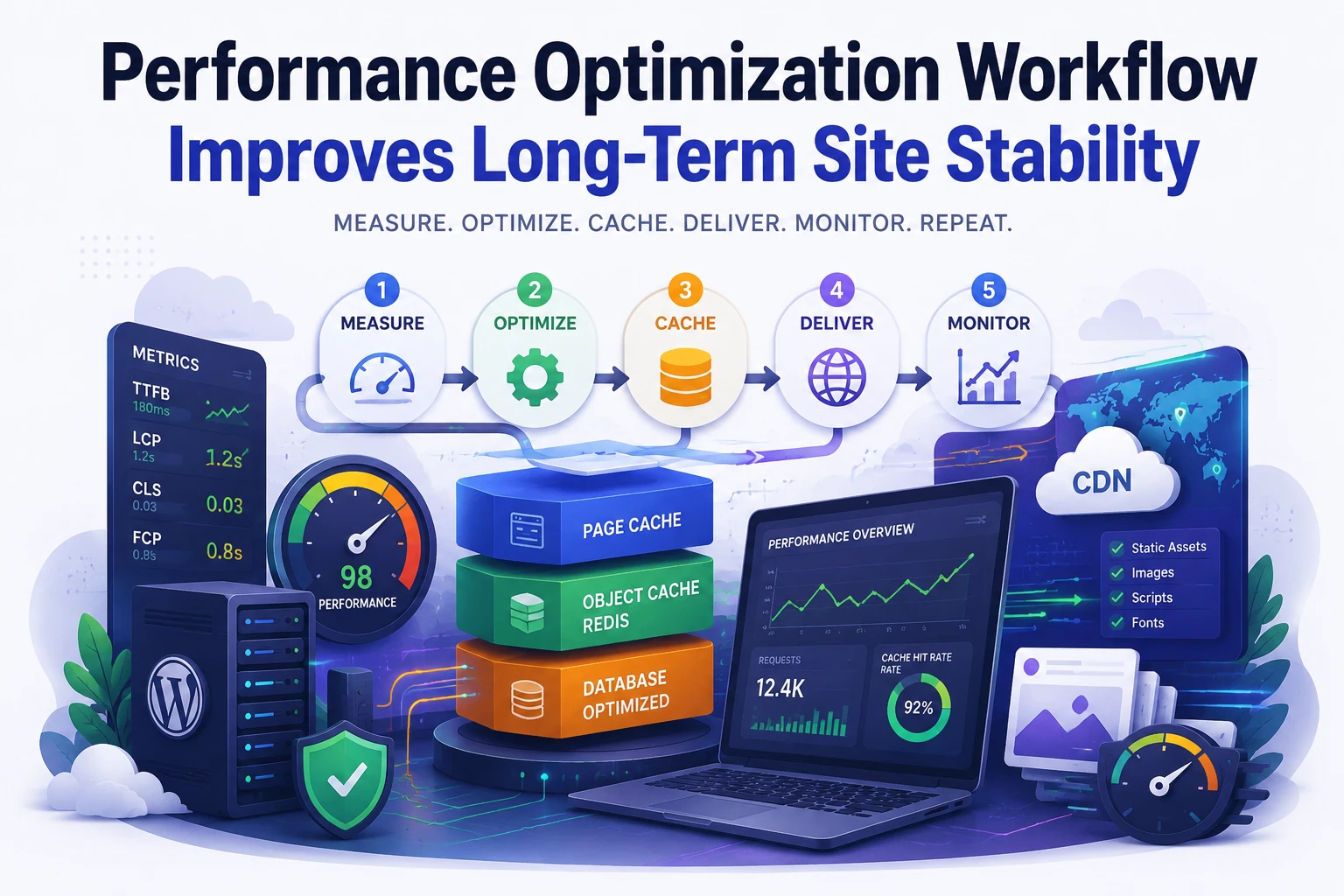
Performance optimization often becomes reactive. A website slows down, plugins get installed, cache settings change, and temporary fixes accumulate. Consequently, infrastructure becomes harder to predict.
Stable systems require repeatable workflows.
At Wisegigs, performance work begins with measurement and dependency mapping before any optimization changes occur. Structure determines reliability. Random tuning usually creates new bottlenecks later.
Why Performance Problems Become Persistent
Many WordPress environments degrade gradually rather than suddenly. Initially, the site performs well. However, additional plugins, scripts, and integrations increase request complexity over time.
Several factors commonly contribute to long-term instability:
- overlapping caching plugins
- excessive database queries
- large frontend assets
- unoptimized third-party scripts
- shared hosting limitations
- missing object caching
- poor image delivery structure
Importantly, these problems interact with each other. A frontend optimization may expose a database bottleneck. Similarly, aggressive caching may hide inefficient application behavior temporarily.
Without a workflow, troubleshooting becomes inconsistent.
According to web.dev, frontend rendering delays often originate from excessive JavaScript execution and render-blocking assets rather than server response time alone.
Establishing a Baseline Before Optimization
Optimization should never begin with plugin installation.
Instead, establish a baseline first. Measurement defines clarity.
A standard baseline workflow should include:
- Time To First Byte (TTFB)
- Largest Contentful Paint (LCP)
- server response duration
- database query count
- memory consumption
- CPU load patterns
- asset waterfall analysis
Tools such as Google PageSpeed Insights and Cloudflare Analytics help isolate bottlenecks before infrastructure changes occur.
At this stage, identify whether the primary issue is:
Frontend Rendering
Symptoms include:
- slow visual loading
- layout shifting
- large JavaScript bundles
- excessive CSS delivery
Backend Processing
Common indicators include:
- high TTFB
- slow admin dashboard
- elevated database activity
- CPU spikes during traffic bursts
Separating these layers prevents unnecessary optimization work.
Separating Frontend and Backend Bottlenecks
Many websites optimize the wrong layer first.
For example, image compression does not solve database saturation. Likewise, Redis caching does not fix oversized JavaScript payloads.
A structured workflow isolates systems independently.
Frontend Optimization Areas
Frontend optimization typically focuses on:
- image compression
- lazy loading
- font delivery reduction
- JavaScript deferment
- CSS minimization
- CDN distribution
Modern caching environments benefit from edge delivery. Therefore, CDN integration reduces geographic latency and lowers origin server pressure.
At Wisegigs, frontend optimization usually prioritizes Core Web Vitals stability before aggressive asset minimization.
Backend Optimization Areas
Backend optimization targets request execution efficiency.
This includes:
- PHP worker allocation
- database indexing
- Redis object caching
- opcode caching
- query reduction
- cron job optimization
Importantly, backend instability often appears only under load. A site may seem fast during testing while failing during concurrent traffic spikes.
According to Redis Documentation, object caching significantly reduces repetitive database reads in dynamic applications.
Building a Layered Caching Workflow
Caching should follow hierarchy rather than duplication.
Many unstable WordPress setups use multiple cache plugins simultaneously. Consequently, invalidation becomes inconsistent and debugging complexity increases.
A layered workflow generally includes:
Page Cache Layer
This layer stores full HTML responses.
Recommended implementations include:
- NGINX FastCGI cache
- Cloudflare edge caching
- LiteSpeed Cache environments
Page caching reduces PHP execution frequency dramatically.
Object Cache Layer
Object caching stores database query results and transient data.
Redis is commonly preferred because it minimizes repeated query execution during dynamic requests.
Typical benefits include:
- lower database load
- faster admin performance
- improved WooCommerce scalability
Browser Cache Layer
Browser caching controls static asset reuse.
Assets commonly cached include:
- images
- fonts
- CSS files
- JavaScript bundles
Proper expiration headers reduce repeat-download overhead.
Importantly, each layer should have clearly defined responsibilities. Overlapping cache behavior reduces predictability.
For related infrastructure approaches, see:
- Wisegigs Hosting Performance & Scaling Articles
- Wisegigs Development Articles
- Wisegigs WordPress Workflow Post
Optimizing Database and Query Behavior
Database inefficiency creates cumulative performance degradation.
Initially, slow queries may appear harmless. However, traffic amplification multiplies execution cost quickly.
Common optimization targets include:
- autoloaded options cleanup
- post revision reduction
- transient expiration management
- index optimization
- query duplication analysis
WooCommerce environments especially benefit from query reduction because cart and session activity increases database interaction frequency.
Additionally, poorly optimized plugins often generate unnecessary background requests.
At Wisegigs, query monitoring typically occurs before scaling server resources. Increasing hardware capacity without reducing inefficiency only delays future problems.
Media and Asset Delivery Strategy
Large assets increase rendering delays and bandwidth usage.
Therefore, media optimization should become part of the deployment workflow rather than occasional maintenance work.
A stable delivery strategy includes:
- WebP image conversion
- responsive image sizing
- CDN asset distribution
- font subset optimization
- video offloading
- script dependency reduction
Importantly, frontend payload size affects mobile devices disproportionately. Desktop testing alone creates misleading performance assumptions.
According to Cloudflare Learning Center, faster asset delivery improves both user experience and infrastructure efficiency.
Monitoring Performance Drift Over Time
Optimization is not permanent.
Plugin updates, content growth, and tracking scripts gradually alter system behavior. Consequently, previously stable environments may degrade silently.
Long-term monitoring should include:
- uptime tracking
- response-time alerts
- Core Web Vitals trends
- database growth analysis
- cache hit ratios
- resource utilization trends
Monitoring prevents small regressions from becoming infrastructure failures.
Importantly, trend analysis matters more than isolated benchmark tests. Consistency defines operational stability.
Common Optimization Mistakes
Several mistakes repeatedly create unstable WordPress environments.
Installing Multiple Cache Plugins
Competing cache layers increase invalidation conflicts.
Optimizing Without Measurement
Changes without baseline metrics create unreliable conclusions.
Ignoring Third-Party Scripts
Tracking tools often become major frontend bottlenecks.
Scaling Hardware Prematurely
Larger servers do not solve inefficient application behavior.
Treating Optimization as One-Time Work
Performance drifts continuously. Therefore, workflows must include ongoing review cycles.
Conclusion
Performance optimization succeeds when systems are treated as interconnected layers rather than isolated fixes.
Frontend delivery, backend execution, database efficiency, and cache hierarchy all influence operational stability. Consequently, long-term reliability depends on workflow consistency more than individual optimization tools.
Structured environments remain easier to debug, scale, and maintain over time.
Need help optimizing WordPress performance infrastructure?
Contact Wisegigs.eu