
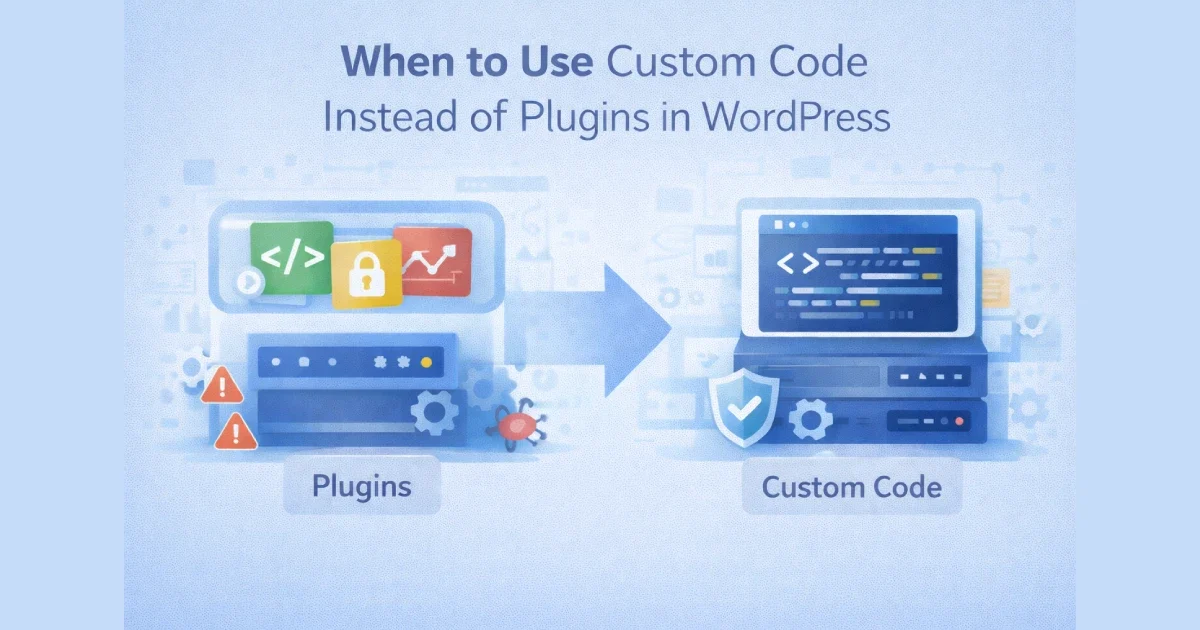
Plugins are one of WordPress’s greatest strengths — but they are also one of its biggest long-term risks. Many performance, security, and maintenance problems don’t come from WordPress itself, but from over-reliance on plugins for problems that should have been solved with custom code.
The real question is not “Can a plugin do this?” — it’s “Should this be a plugin at all?”
At Wisegigs.eu, we regularly replace plugins with targeted custom code to improve performance, stability, and long-term maintainability. This guide explains when custom code is the better engineering choice — and when plugins still make sense.
1. The Hidden Cost of Plugins
Every plugin adds more than just functionality.
What plugins introduce:
Additional PHP execution on every request
Extra database queries
More JavaScript and CSS
New update dependencies
Additional security surface area
Individually, this may seem minor. Collectively, it becomes a bottleneck.
WP Tavern frequently reports that plugin conflicts and abandoned plugins are a leading cause of WordPress issues:
https://wptavern.com/
2. When the Feature Is Small and Specific
If the requirement is simple and narrowly scoped, custom code is often the better choice.
Examples:
Adding a small content filter
Custom validation on a form
Modifying query behavior
Adjusting admin UI behavior
Adding a simple business rule
Installing a full plugin for a few lines of logic is rarely efficient.
At Wisegigs.eu, small, well-defined features almost always live in custom code — not plugins.
3. When Performance Is Critical
Plugins are built to be generic. Custom code can be precise.
Plugin drawbacks for performance:
Features you don’t need still load
Hooks run on every request
Assets enqueue globally
Harder to profile and optimize
Custom code:
Runs only where needed
Has predictable execution paths
Can be scoped to specific templates or actions
Smashing Magazine highlights that excessive plugin usage is a common source of WordPress performance problems:
https://www.smashingmagazine.com/
If performance matters, specificity wins.
4. When You Need Full Control Over Behavior
Plugins are opinionated. Custom code is not.
Situations requiring control:
Custom workflows
Business-specific logic
Non-standard content relationships
Complex conditional behavior
Tight integration with external systems
Plugins often force you to work around their assumptions. Custom code lets you design exactly what you need.
5. When Plugin Maintenance Becomes a Risk
Plugins age — and not all age well.
Red flags:
Plugin hasn’t been updated in months or years
Maintainer is inactive
Poor compatibility with new WordPress versions
Growing list of unresolved issues
Security advisories
The WordPress Security Team recommends removing unused or abandoned plugins as a core hardening practice:
https://wordpress.org/support/article/hardening-wordpress/
Replacing risky plugins with custom code reduces long-term exposure.
6. When Security Requirements Are High
Every plugin increases your attack surface.
Plugin-related security risks:
Vulnerable dependencies
Insecure AJAX endpoints
Poor input validation
Overly broad permissions
Custom code allows:
Strict validation
Minimal exposed functionality
Least-privilege access
Easier auditing
At Wisegigs.eu, security-sensitive functionality is rarely delegated to third-party plugins.
7. When You’re Building Long-Term Features
Plugins are great for experimentation. Custom code is better for foundations.
Long-term considerations:
You own the roadmap
You control updates
No vendor lock-in
Easier refactoring
Easier documentation
For core business logic, relying on external plugins introduces long-term uncertainty.
8. When Plugins Start Conflicting
Plugin conflicts are a signal — not an accident.
Common conflict symptoms:
JavaScript errors
Broken admin pages
Unexpected behavior after updates
Inconsistent front-end output
If multiple plugins are fighting over the same hooks, custom code can replace all of them with a single, coherent implementation.
9. When Custom APIs or Integrations Are Required
Plugins rarely cover complex integrations cleanly.
Examples:
Custom CRM sync logic
Payment provider edge cases
Internal APIs
Headless or hybrid setups
The WordPress Developer Blog emphasizes building custom integrations using native APIs instead of overloading plugins:
https://developer.wordpress.org/news/
Custom code integrates more cleanly and predictably.
10. When You Should Still Use Plugins
This is not an anti-plugin argument.
Plugins are still ideal for:
Complex, well-maintained systems (SEO, caching, security basics)
Features requiring constant updates
Commodity functionality
Rapid prototyping
The key is intentional selection, not accumulation.
Decision Framework (Quick Reference)
Use custom code when:
The feature is small and specific
Performance is critical
Security requirements are high
You need full control
The feature is business-critical
Use plugins when:
The feature is complex and mature
Ongoing updates are essential
The plugin is actively maintained
The functionality is not core to your business
Conclusion
Plugins are tools — not solutions by default. The healthiest WordPress sites use plugins strategically, and custom code deliberately. Knowing when to choose one over the other is a key engineering skill.
To recap:
Avoid plugins for small, specific logic
Prefer custom code for performance and security
Reduce plugin dependency for core business logic
Use plugins where they make economic and technical sense
Not sure whether a feature should be a plugin or custom code? Contact Wisegigs.eu for an engineering review.