
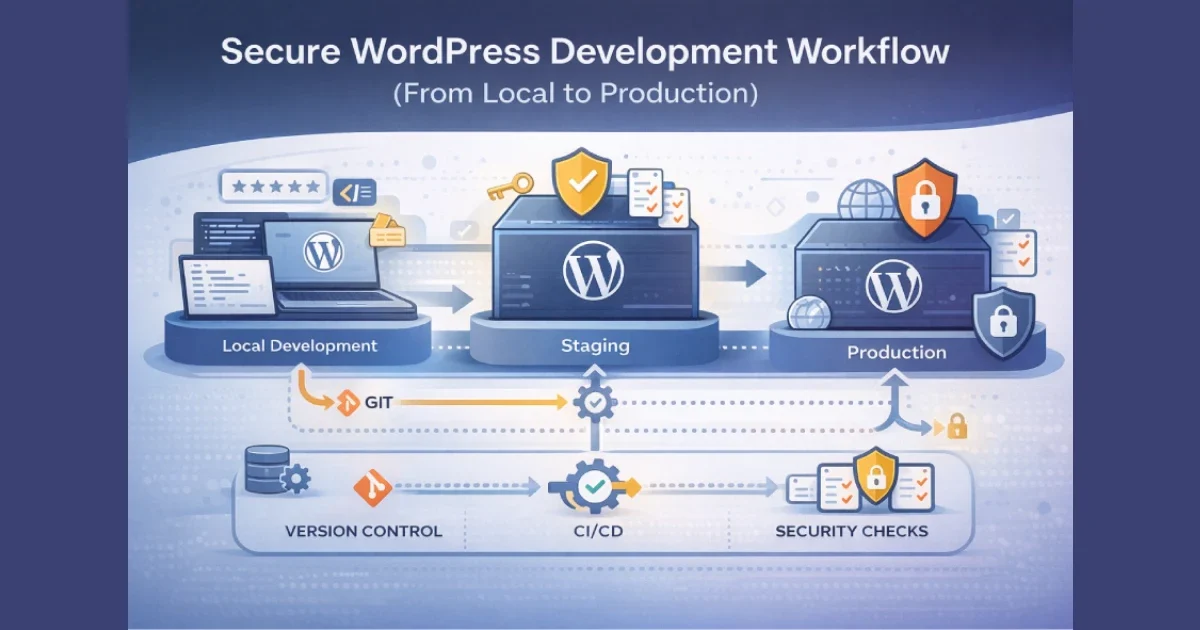
Security issues in WordPress rarely come from a single mistake in production. Most vulnerabilities are introduced earlier in the development workflow — insecure local setups, shared credentials, missing reviews, rushed deployments, or inconsistent environments. By the time code reaches production, the damage is already done.
At Wisegigs.eu, we treat WordPress security as a workflow problem, not just a runtime configuration problem. This guide explains how to design a secure, repeatable WordPress development workflow from local development all the way to production.
1. Secure the Local Development Environment
Local environments are often overlooked, yet they are the starting point of every deployment.
Local security best practices:
Use isolated environments (Docker, VM, or local containers)
Never develop directly on production data
Use sanitized or anonymized databases
Disable public access to local sites
Store credentials in environment variables, not files
Avoid committing configuration files with secrets
The WordPress Developer Handbook recommends separating configuration from code to reduce accidental leaks:
https://developer.wordpress.org/apis/handbook/
2. Enforce Version Control Discipline
Version control is your first security gate.
Required Git practices:
Every change must go through Git
No direct edits on production
Use feature branches
Require pull/merge requests
Enforce peer review
Protect main and production branches
Security benefits:
Full audit trail of changes
Easier rollback after incidents
Reduced risk of unauthorized modifications
At Wisegigs.eu, production servers are read-only for code — all changes flow through Git.
GitHub and GitLab security guidelines stress that protected branches significantly reduce accidental security regressions:
https://docs.github.com/en/code-security
3. Separate Environments Clearly (Local, Staging, Production)
Environment separation is essential for both stability and security.
Each environment should have:
Its own database
Its own credentials
Its own API keys
Its own environment variables
Its own caching configuration
Never:
Share credentials between environments
Test experimental plugins on production
Debug errors on live traffic
Smashing Magazine emphasizes that environment parity prevents security gaps caused by inconsistent behavior:
https://www.smashingmagazine.com/
4. Manage Secrets and Credentials Securely
Hard-coded secrets are one of the most common WordPress security failures.
Secure credential handling:
Use environment variables for DB credentials
Store API keys outside the repository
Rotate credentials regularly
Restrict permissions per environment
Never store secrets in wp-config.php directly without isolation
OWASP highlights secret leakage as a leading cause of application compromise:
https://owasp.org/www-project-top-ten/
5. Validate Code Before It Reaches Production
Security issues often come from unreviewed or untested code.
Required validation steps:
Peer code reviews
Linting and static analysis
Dependency vulnerability scanning
Manual logic review for authentication and authorization
Review of database queries and user input handling
WordPress coding standards exist to prevent many common security issues when followed consistently:
https://developer.wordpress.org/coding-standards/
6. Use CI/CD Pipelines With Security Gates
Automation reduces human error — a major security risk.
CI/CD security checks:
Block deploys on failed tests
Validate plugin/theme integrity
Check file permissions
Scan dependencies for known vulnerabilities
Enforce environment-specific configuration
GitLab’s CI/CD documentation shows how automated pipelines reduce production security incidents:
https://about.gitlab.com/topics/ci-cd/
7. Harden Deployment Processes
Deployments are a high-risk moment.
Secure deployment practices:
Use atomic deployments (symlink-based releases)
Avoid FTP-based deployments
Deploy during low-traffic windows
Log all deployment actions
Roll back immediately on failure
At Wisegigs.eu, deployments are predictable, reversible, and logged — no exceptions.
8. Lock Down Production Access
Production access should be minimal and auditable.
Production access rules:
No shared accounts
Role-based access only
SSH key-based authentication
Limited sudo access
Access reviews on a schedule
Immediate revocation when someone leaves
Least-privilege access is a core security principle emphasized by both OWASP and Google SRE:
https://sre.google/sre-book/
9. Monitor, Log, and Audit Continuously
A secure workflow does not end at deployment.
Monitoring essentials:
File change detection
Login attempt monitoring
Plugin/theme update tracking
Server-level metrics
Error and exception logs
Security incidents are detected faster when logs and alerts are in place.
10. Prepare for Incident Response and Rollback
Even with a secure workflow, incidents can still happen.
Preparation checklist:
Maintain clean backups
Test restores regularly
Document rollback procedures
Define incident ownership
Communicate clearly during incidents
At Wisegigs.eu, every production WordPress environment has a documented rollback and incident response plan.
Conclusion
Security in WordPress development is not achieved by a single plugin or firewall rule. It’s achieved through a disciplined workflow that enforces separation, review, automation, and least privilege at every stage — from local development to production deployment.
To recap:
Secure local environments
Enforce Git-based workflows
Separate environments properly
Manage secrets safely
Validate code before deployment
Automate with CI/CD
Harden deployment processes
Restrict production access
Monitor continuously
Prepare for incidents
Need help building a secure WordPress development workflow? Contact Wisegigs.eu.