
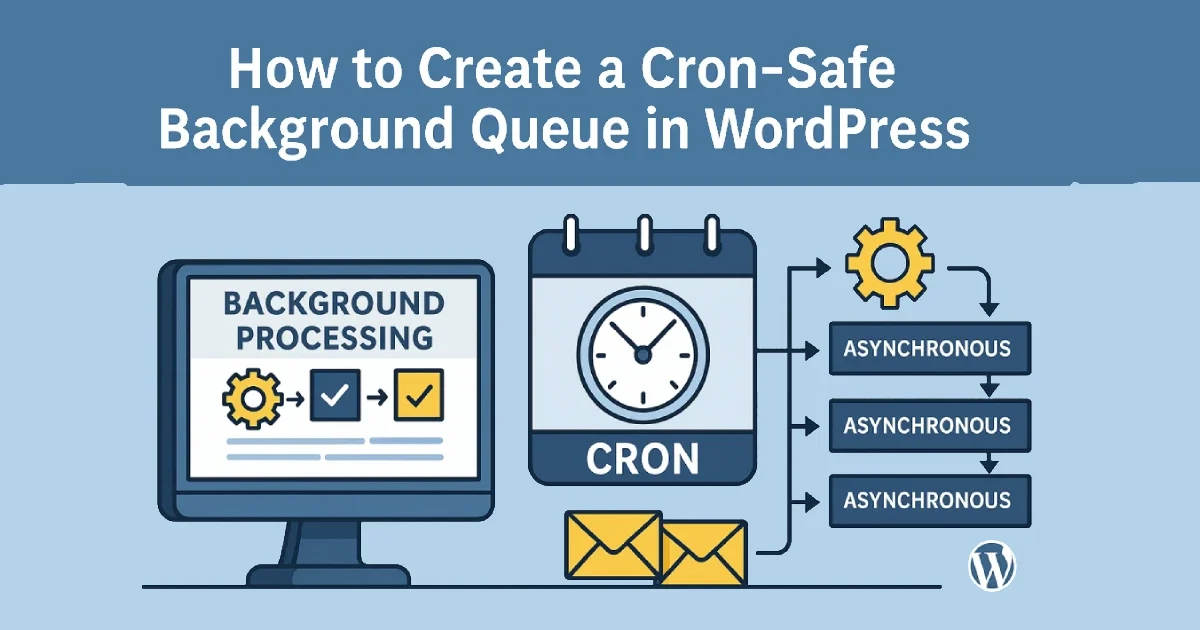
Large tasks like imports, API synchronizations, report generation, and cleanup jobs often run during normal WordPress page loads — slowing down the user experience, increasing TTFB, and sometimes causing outright timeouts. A cron-safe background queue offloads heavy operations into controlled batches that run outside the request lifecycle.
At Wisegigs.eu, we engineer background processing systems that keep WordPress predictable, scalable, and stable even under heavy load. This guide explains how to architect a background queue that is safe, reliable, and production-ready — without relying on external plugins.
1. Why WordPress Needs a Background Queue
WordPress executes PHP dynamically on every request, so anything heavy that runs in the foreground slows the site for real users.
Problems caused by synchronous execution:
Long page loads
High server CPU spikes
Timeout errors
Interrupted WooCommerce checkouts
Backend performance issues
Race conditions when multiple users trigger the same action
Why a background queue solves this:
Heavy tasks run separately from user traffic
Performance remains stable under load
Tasks can be retried safely
You control concurrency and batch size
Server resources are used more efficiently
The WordPress Cron documentation highlights the importance of moving non-essential work out of page requests to maintain performance:
https://developer.wordpress.org/plugins/cron/
2. Understand the Essential Components of a Queue
A high-performing queue system has five core components.
1. A Task Registry
This stores each task with a name, payload, and status. It creates traceability and prevents duplicate work.
2. A Dispatcher
This selects pending tasks in batches and hands them off for processing. This prevents the system from processing too many tasks at once.
3. A Processor
This executes each task in isolation. Failures should not disrupt other tasks.
4. A Cron Trigger
This is what runs the dispatcher repeatedly.
WP-Cron exists, but real system cron is significantly more reliable.
DigitalOcean’s cron job guidelines emphasize using actual server cron for consistent execution:
https://www.digitalocean.com/community/tutorials/how-to-use-cron-to-automate-tasks-on-ubuntu-18-04
5. Retry & Failure Logic
When external APIs fail, the queue must retry instead of silently breaking.
At Wisegigs.eu, all queues are designed with retry mechanisms to prevent single-point failures.
3. How a Cron-Safe Background Queue Works (Step-by-Step)
Step 1: Add Tasks to the Queue Safely
Whenever a heavy operation is needed — syncing data, generating a report, processing orders — add a new task to the queue and mark it as pending.
This keeps the action lightweight and prevents blocking page loads.
Step 2: Cron Scans for Pending Tasks
A scheduled cron job runs every minute (or custom interval) and looks for unprocessed tasks.
WP-CLI can also manually trigger cron for debugging and automation:
https://wp-cli.org/
Step 3: Process Tasks in Small, Controlled Batches
To prevent server overload, process only a small number of items per cycle (e.g., 3–10 depending on server size).
Batching aligns with the same pattern used by Action Scheduler, the async engine used by WooCommerce, which has proven reliability for production workloads:
https://actionscheduler.org/
Step 4: Update Status & Handle Failures
Completed tasks are marked accordingly.
If an operation fails (API timeout, unexpected data), mark the task as failed and push it into a retry cycle.
Step 5: Retry Failed Tasks Automatically
Retries ensure temporary outages do not stop the entire queue.
This approach aligns with SRE practices of graceful degradation, ensuring the system remains operational even during external service instability.
4. Why “Cron-Safe” Matters for Production
A cron-safe queue is structured to run independently of user traffic and is not affected by caching layers, traffic drops, or page triggers.
Cron-safe design prevents:
Queue stalling when traffic is low
Delayed tasks due to full page caching
Multiple tasks running simultaneously
Memory leaks from stuck processes
Hetzner’s server documentation reinforces that real cron provides dependable execution regardless of the application layer:
https://docs.hetzner.com/
This makes cron-safe queues essential for:
WooCommerce stores
Enterprise WordPress
Sites with API integrations
Scheduled operations (billing, syncs, cleanups)
At Wisegigs.eu, all production servers run real cron every minute to ensure consistent queue processing.
5. Ideal Use Cases for Background Queues
Many WordPress operations are unsafe to run synchronously.
Best tasks to offload:
Database-heavy
Bulk updates
Meta migration
Cleanup of large logs
Deleting thousands of uploads
API-heavy
CRM/ERP sync
Inventory validation
Email marketing automation
Third-party integrations
Resource-intensive
Report generation
Thumbnail regeneration
Data exports
Importing files or feeds
WooCommerce workflows
Order fulfillment
Stock synchronization
Subscription renewals
Simo Ahava’s engineering articles emphasize the importance of asynchronous processing for API reliability:
https://www.simoahava.com/
6. Best Practices When Building Your Queue
A stable queue requires thoughtful engineering.
✔ Keep batch sizes small
Avoid overwhelming CPU or RAM.
✔ Add retry logic
Otherwise, a temporary external failure can break the entire workflow.
✔ Log errors
You need visibility into failed tasks and recurring patterns.
✔ Use lightweight payloads
Store references, not large datasets.
✔ Separate task types cleanly
Avoid monolithic processors with too many responsibilities.
✔ Use a real cron job
WP-Cron should not be trusted for production environments.
✔ Test under load
Queues behave differently under real traffic conditions.
✔ Make failures safe
If a task crashes, it must fail alone, not break the queue.
At Wisegigs.eu, we build queue systems with safety isolation and capacity throttling to ensure predictable performance.
Conclusion
A cron-safe background queue is a foundational component of scalable WordPress engineering. It prevents heavy tasks from degrading frontend performance, keeps the system stable under load, and ensures asynchronous operations execute safely and predictably.
To recap:
Offload heavy operations into a queue
Process tasks in batches
Use real cron for reliability
Implement retries and failure handling
Separate task logic for maintainability
Monitor the queue and logs
Ensure task isolation and safe execution
Need help implementing async background processing for your WordPress platform? Contact Wisegigs.eu today.