
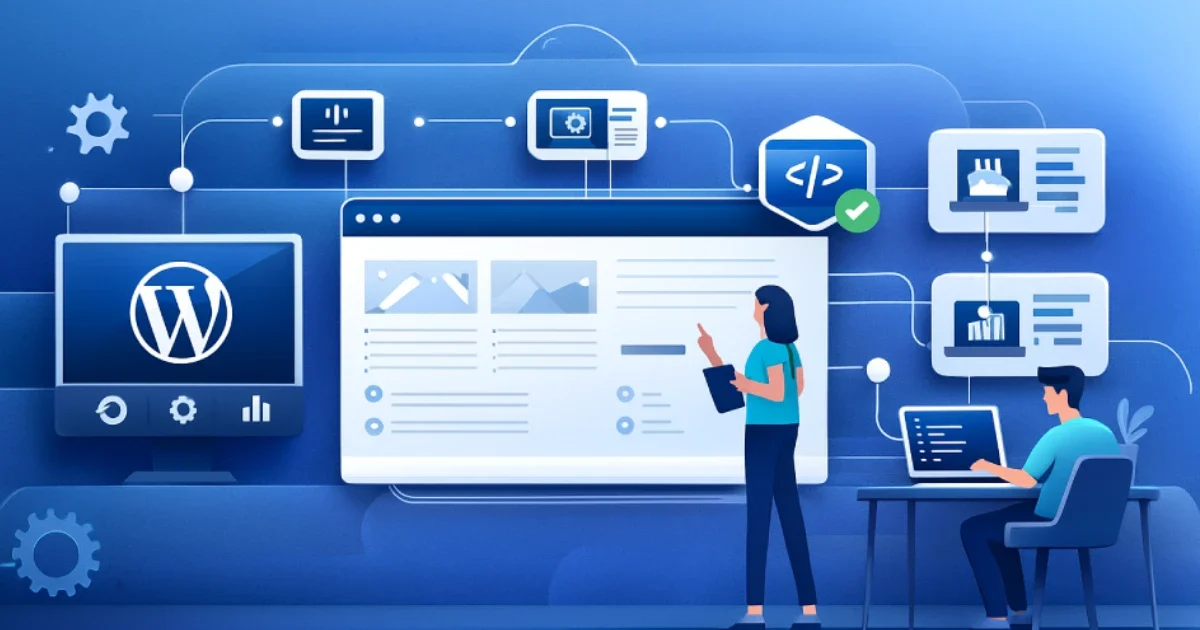
WordPress is known for its flexibility, especially when custom development is used to enhance functionality. Plugins solve most common problems, yet many projects eventually require more control, deeper integrations, and advanced features. Custom development allows you to build solutions that match your workflow instead of relying on off-the-shelf tools.
At Wisegigs.eu, we build custom WordPress features and API integrations that improve performance, remove plugin bloat, and make websites easier to maintain. This guide explains how to approach custom development, when to use APIs, and how to create scalable solutions for long-term growth.
1. Understand When Custom Development Is the Better Option
Before writing any custom functionality, it is important to determine why it is needed. Plugins can be helpful, but they often include features you do not need. As you install more plugins, your site becomes heavier, slower, and harder to maintain.
Custom development becomes the better choice when you need:
• A workflow that plugins cannot handle
• API connections to external systems
• Automated processes
• Custom dashboards
• Special data structures
• Stable long-term performance
In addition, removing unnecessary plugins helps reduce conflicts, improves performance, and increases security. Custom code solves only the exact problem you have, which makes the site easier to manage in the long run.
Explore our WordPress development services
2. Plan Your Structure Before Building Anything
A successful custom development project begins with clear planning. When you define the structure early, you avoid conflicts with themes, plugins, and future updates.
Your planning should include:
• What the feature needs to achieve
• How it interacts with WordPress
• How users access the feature
• Which data it needs
• Whether it will integrate with external systems
• How it should scale over time
This step reduces guesswork and helps ensure the final solution is stable. Without planning, projects often experience growth issues later, especially when APIs or dynamic data are involved.
3. Use APIs to Extend WordPress Beyond Standard Features
APIs allow WordPress to communicate with external systems. They help streamline data flow and automate tasks that would usually require manual updates.
Common API use cases include:
• Payment processing
• CRM integrations
• Marketing automation
• Inventory syncing
• Shipping rates
• Customer portals
• External data retrieval
The WordPress REST API documentation explains how WordPress can read and write data through JSON endpoints. This enables more advanced interactions with third-party tools.
Additionally, external platforms such as Stripe, HubSpot, and Zapier provide API references that make integrations more reliable. These APIs allow WordPress to stay updated automatically, which improves accuracy and efficiency.
4. Build Features That Reduce Operational Work
Custom code should not only solve technical challenges. It should also reduce manual work and improve your internal processes.
Examples include:
• Automatically forwarding leads to CRM
• Creating custom admin dashboards
• Syncing product details with external platforms
• Automating form workflows
• Generating reports for marketing teams
• Connecting WordPress to custom web apps
When your system handles these tasks automatically, your team gains more time to focus on operations rather than maintenance.
According to HubSpot’s automation guide , automated workflows significantly improve marketing performance and reduce repetitive work. API-powered WordPress systems follow the same principles.
5. Keep Your Custom Features Lightweight and Maintainable
Well-structured custom development should reduce complexity, not increase it. Although WordPress is flexible, it still relies on predictable patterns. Keeping your custom features clean helps prevent future compatibility issues.
To maintain a lightweight structure:
• Avoid unnecessary functions
• Reuse logic when possible
• Follow naming conventions
• Keep your code organized
• Document your features
• Avoid modifying WordPress core
When features remain simple and modular, they are easier to update as your website grows. In addition, clean custom development improves site stability and reduces debugging time.
6. Ensure API Integrations Are Secure and Stable
Security is critical when connecting WordPress to external systems. API integrations often involve sensitive data, login credentials, and automated workflows. Without proper security, your website may become vulnerable to misuse or unauthorized access.
Before deploying an integration, verify:
• Proper authentication
• Limited access scopes
• Encrypted communication
• Safe data sanitization
• Error handling and fallback behavior
Security guidelines from OWASP API Security Top 10 provide a helpful overview of the most common API vulnerabilities and how to avoid them.
Following these best practices helps ensure your integrations remain safe and reliable.
7. Test Your Features in Multiple Environments
Custom development requires proper testing before going live. New features can affect themes, plugins, caching layers, and server configurations.
Testing should include:
• Functional testing
• API response tests
• Front-end behavior
• Admin workflows
• Cross-browser checks
• Compatibility testing
• Performance reviews
A staging environment is ideal for this. It allows your team to test updates without affecting the live website. At Wisegigs.eu, staging is part of our workflow to prevent downtime and reduce deployment risks.
8. Monitor Performance After Deploying Custom Features
Once your custom solution is live, performance monitoring helps verify that the feature works as expected. Some integrations increase requests, while others rely on third-party APIs that may respond slowly.
Monitor:
• Load times
• API response speed
• Error logs
• Server resource usage
• Database queries
• Admin panel performance
These insights help you catch issues early and refine your custom features as your traffic grows.
Conclusion
Custom WordPress development opens the door to advanced features, deeper integrations, and long-term scalability. When done correctly, it helps reduce plugin bloat, strengthen performance, and create tailored systems that support your business goals.
To build reliable custom systems, focus on:
• Clear planning
• Lightweight structure
• Smart API integrations
• Stable security practices
• Strong testing
• Ongoing monitoring
With these fundamentals in place, your website becomes faster, more flexible, and easier to maintain.
Need custom features or API integrations for your WordPress site?
Contact us today.